 Features
Rest and meal breaks that match your award
Configure your award's break rules once, let staff log breaks from their phone, and see it all flow into timesheets and wages.

Tier breaks by shift length
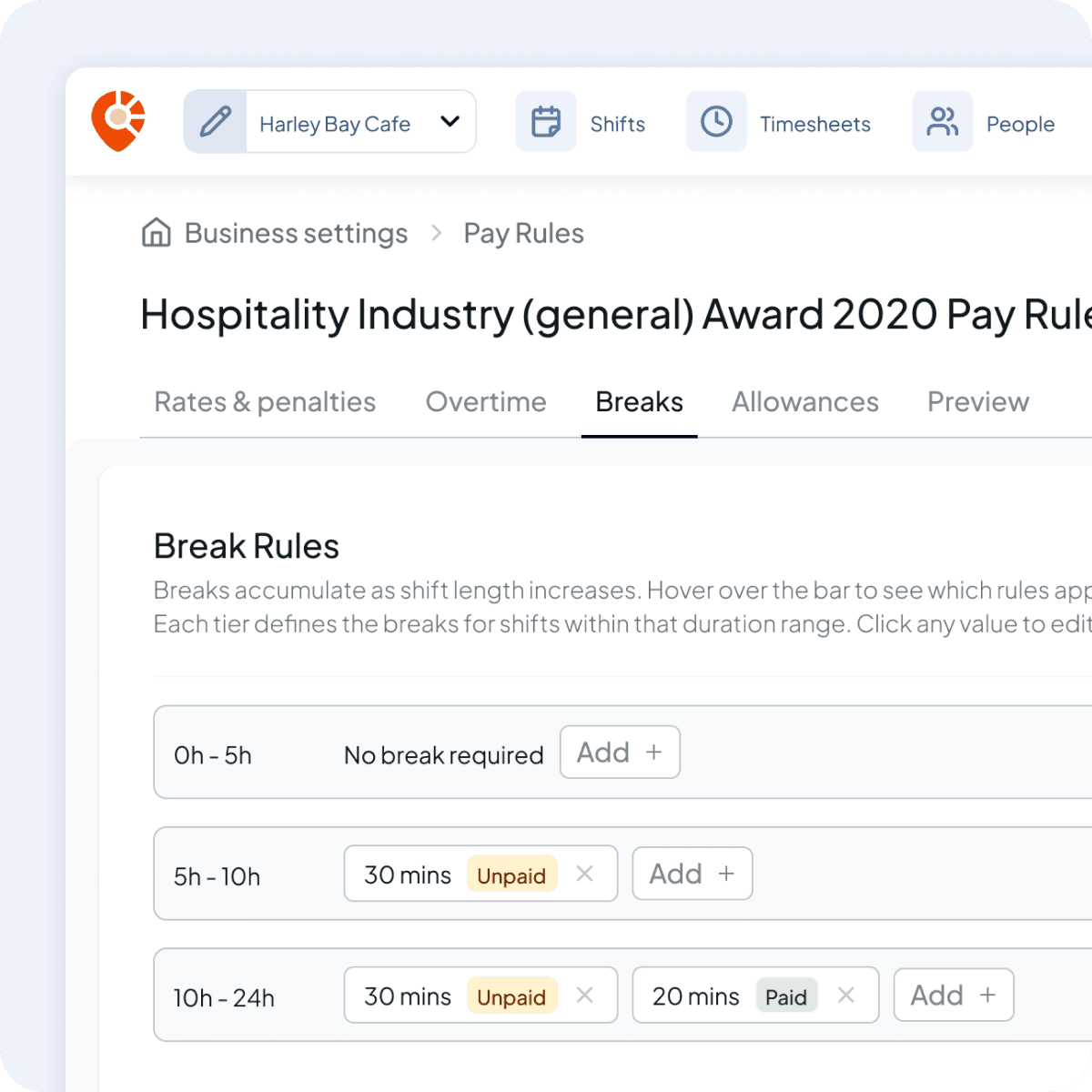
Longer shifts earn more breaks. Set the minimum and maximum shift duration for each tier and Shiftly applies the right breaks to every shift automatically. No per-shift planning required.
Paid or unpaid, your call
Toggle each break between paid and unpaid to match your award. Shiftly handles the wage impact for you.
Logged by staff on their phone
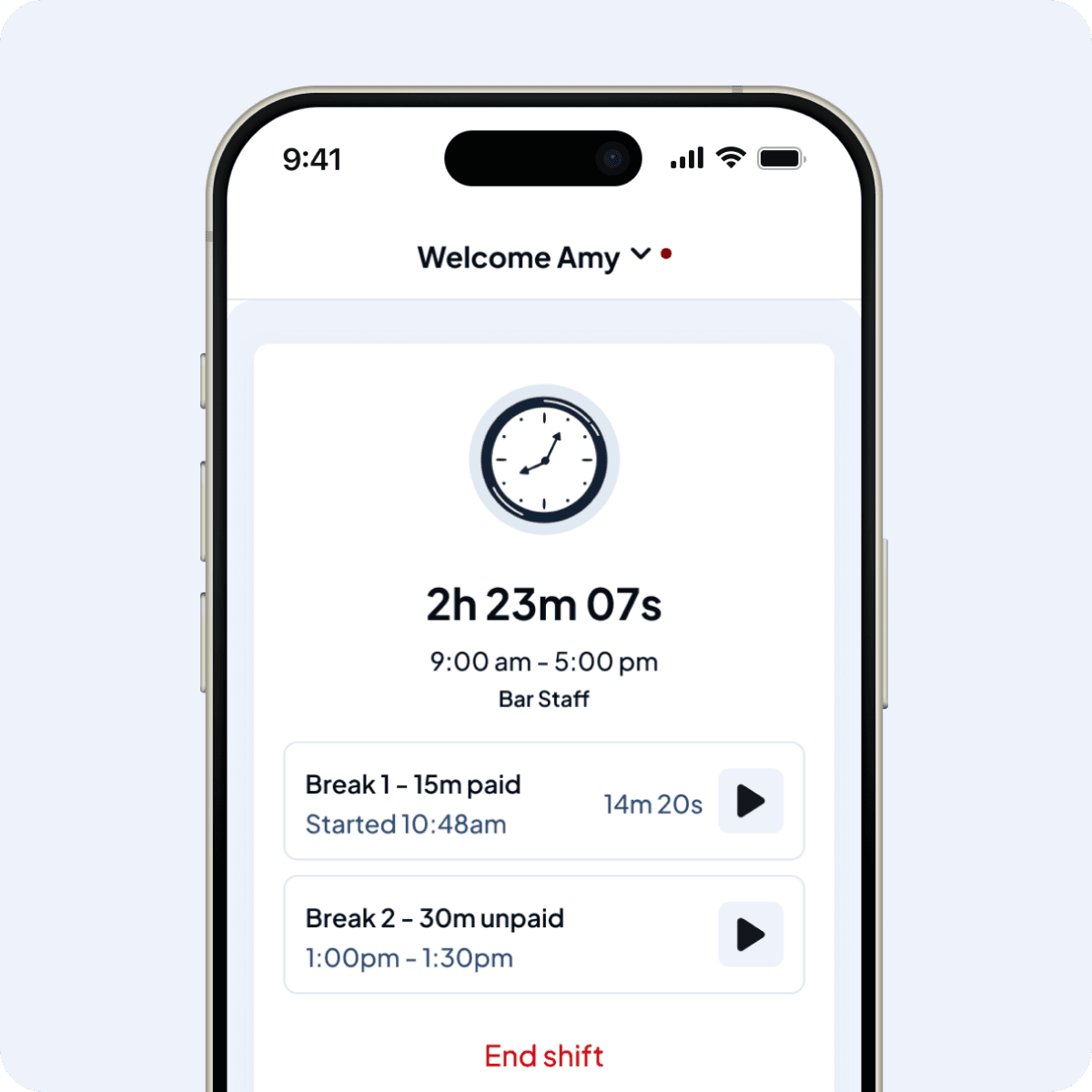
Your team starts and ends their own breaks from the Shiftly mobile app while their shift is active. Those timestamps flow straight into your timesheets.
Break rules that mirror your award
Set your break tiers once
Shiftly's Breaks tab lets you configure a tiered break structure that matches your award, or adjust it if your business runs differently:
- Shift-length tiers (e.g. 4–6 hours, 6–8 hours, 8+ hours)
- Multiple breaks per tier, with adjustable durations in minutes
- Select from paid or unpaid breaks
- Add to your award's baseline at any time
Breaks logged where the work happens
Logging breaks from the mobile app
While a shift is active, employees start and end their rest and meal breaks directly in Shiftly on their phone. Timestamps are captured as they happen, not reconstructed from memory at the end of the week. Each break is recorded against the shift it belongs to, so when the timesheet comes through for approval, the break history is already there.
You decide where it applies
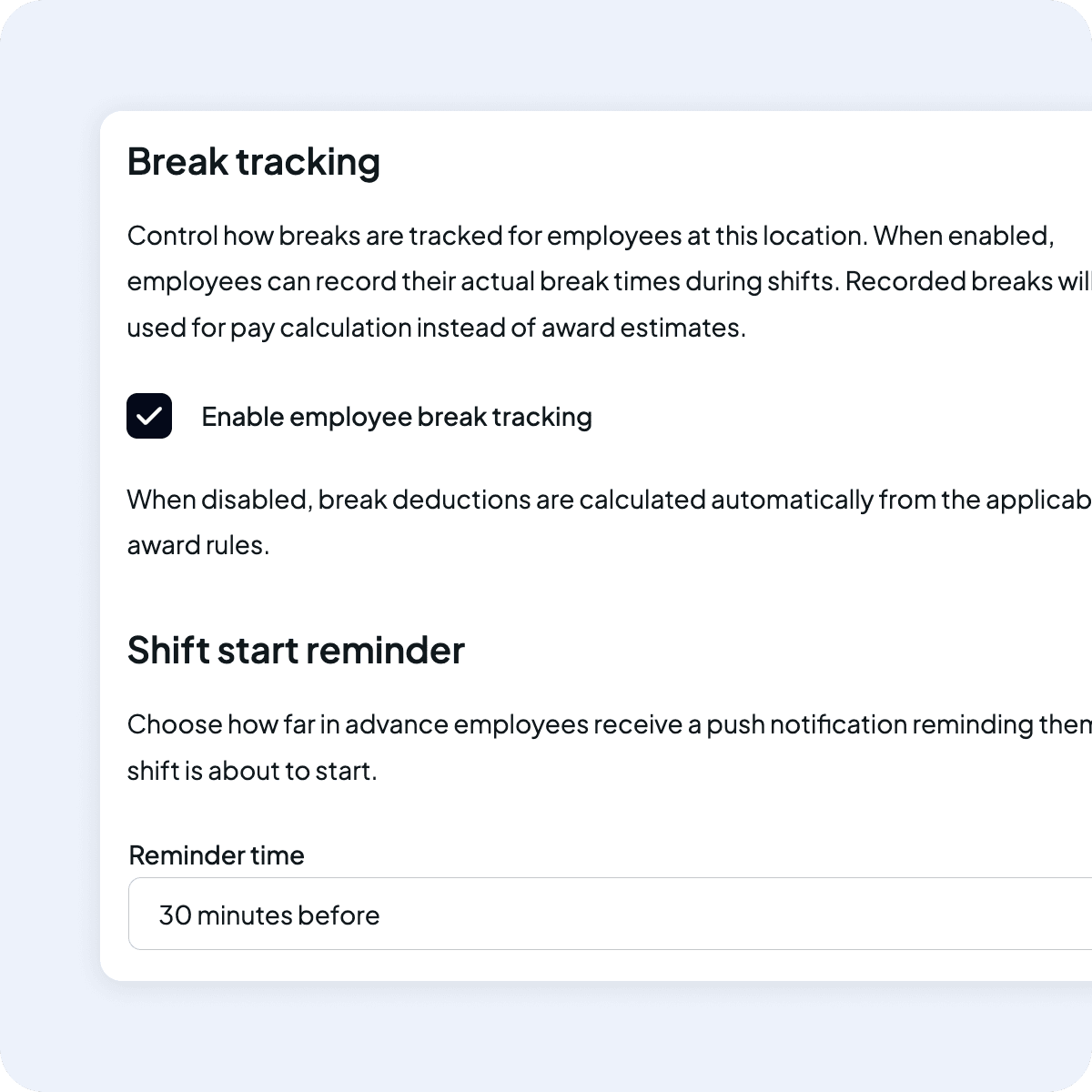
Turn break tracking on or off by location
Some venues want every break on the record, others don't need the overhead. Shiftly lets you switch break tracking on or off at the location level, so your café and your catering arm don't have to work the same way.
Straight into wages and timesheets
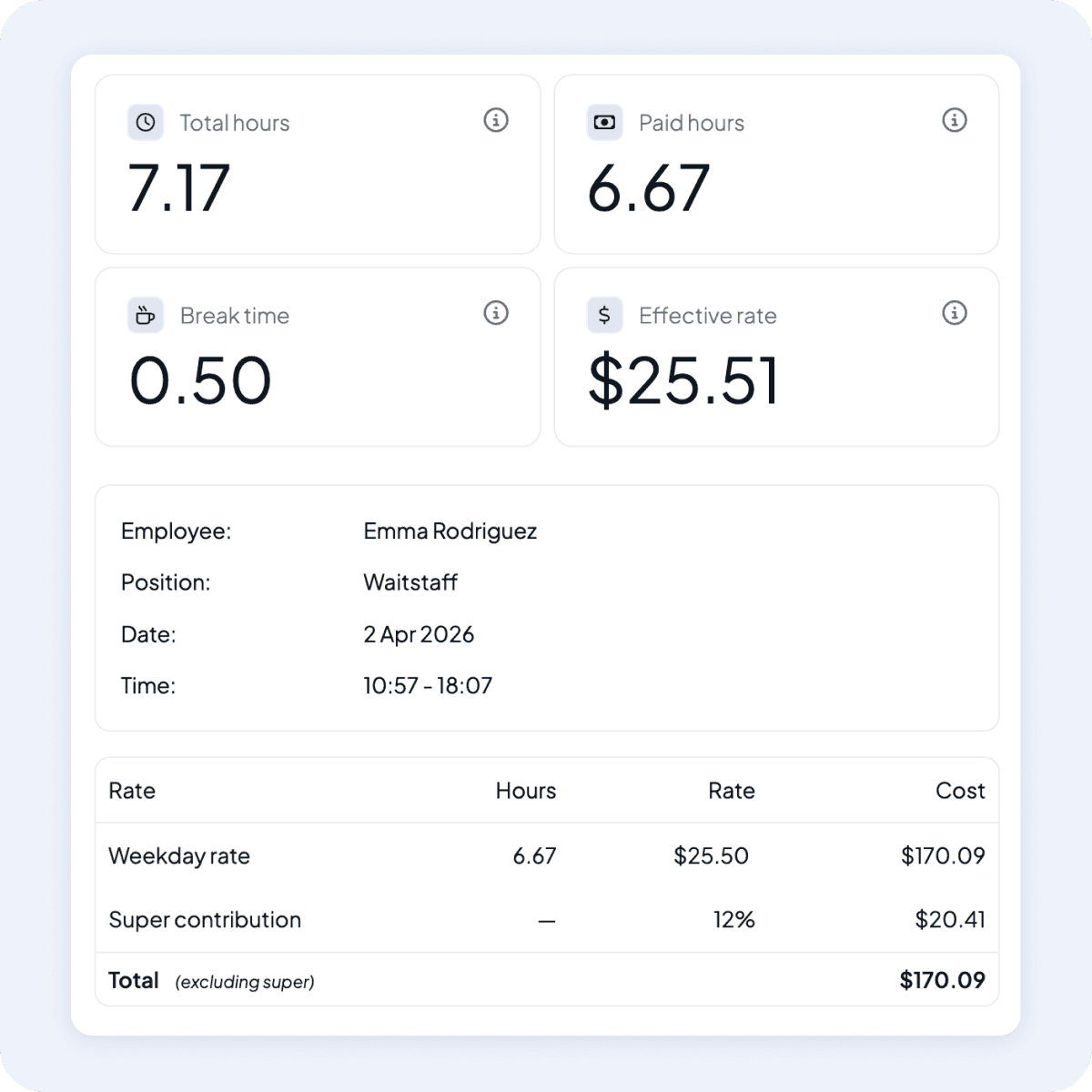
Breaks feed the numbers, not just the paperwork
Unpaid breaks are deducted. Paid breaks are included. Shift totals and timesheets reflect the breaks your staff actually took, so the roster, the timesheet, and the pay run all tell the same story.
 Connect with Us
Break rules that match your award
Set your tiers once, let staff log their own breaks, and let Shiftly feed it into the timesheet.
.png) Features
FeaturesExplore more of Shiftly

Employee rostering
Easily plan shifts, publish rosters, sync timesheets and export in seconds, with no spreadsheets and no stress. Stay in control and keep payroll running smoothly with Shiftly.
Read More
Award-based timesheets
We calculate pay based on your configured award rates, capture approved hours, and sync directly with Xero, so you can run payroll with confidence.
Read More
Paperless onboarding
Streamline your hiring process with our seamless digital onboarding system to automatically sync with Xero for payroll. Reduce the manual workload and onboard staff in minutes.
Read MoreLet us show you around
We'll walk you through how Shiftly works and help you see if we're the right fit for you.
Questions, answered
You configure your award's break rules once, then staff log their breaks from the Shiftly app during a shift. Those breaks flow into timesheets and pay estimates automatically.