 Features
Leave management without the back and forth
Staff request leave from the Shiftly app, managers approve in a tap, and approved leave flows straight to the roster and pay run. No paperwork, no spreadsheet of balances, no surprises on payday.

Requested from the app
Annual, personal, carer's, compassionate, parental and unpaid leave, all from the app. Pick a type, choose the dates, add a note, and see the balance right there on the form.
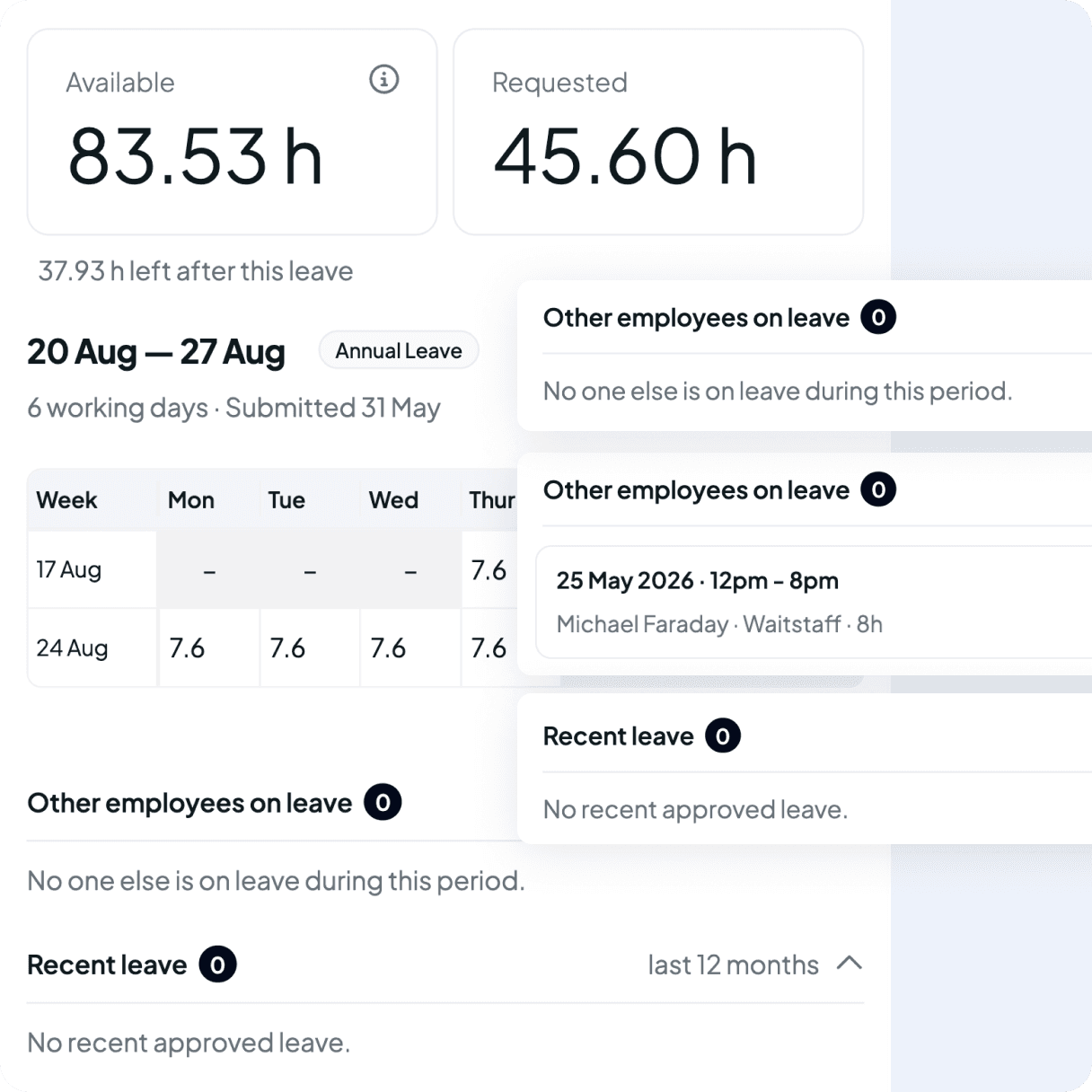
Approved with the full picture
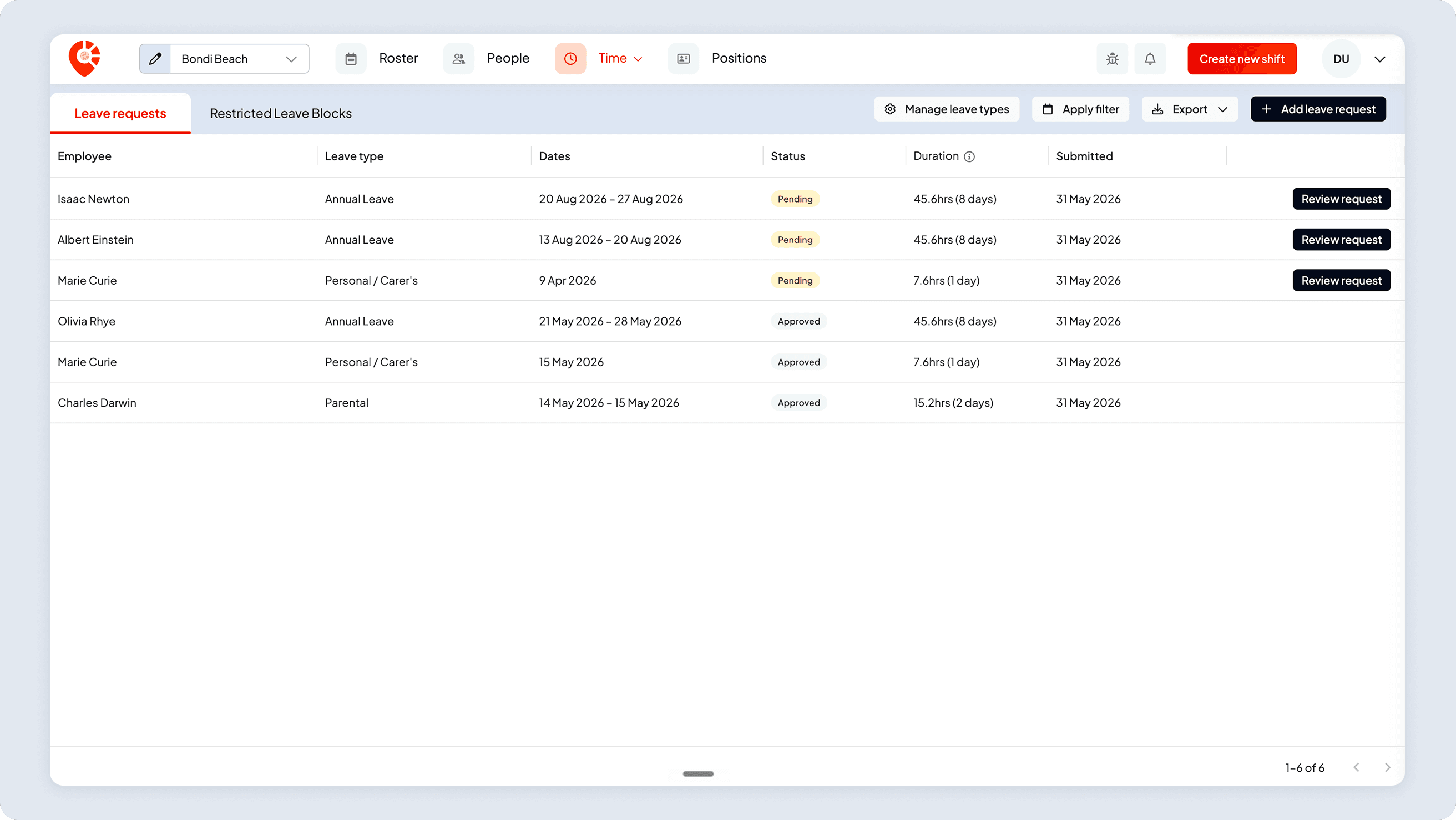
Managers see the request alongside the balance, any other leave clashes and rostered shifts that need to be re-filled so decisions get made on the spot.
Tracked the way your award expects
National Employment Standards (NES) leave types out of the box, with room to customise accrual rates, carry-over caps and reset dates whenever you need.
Submit leave in seconds
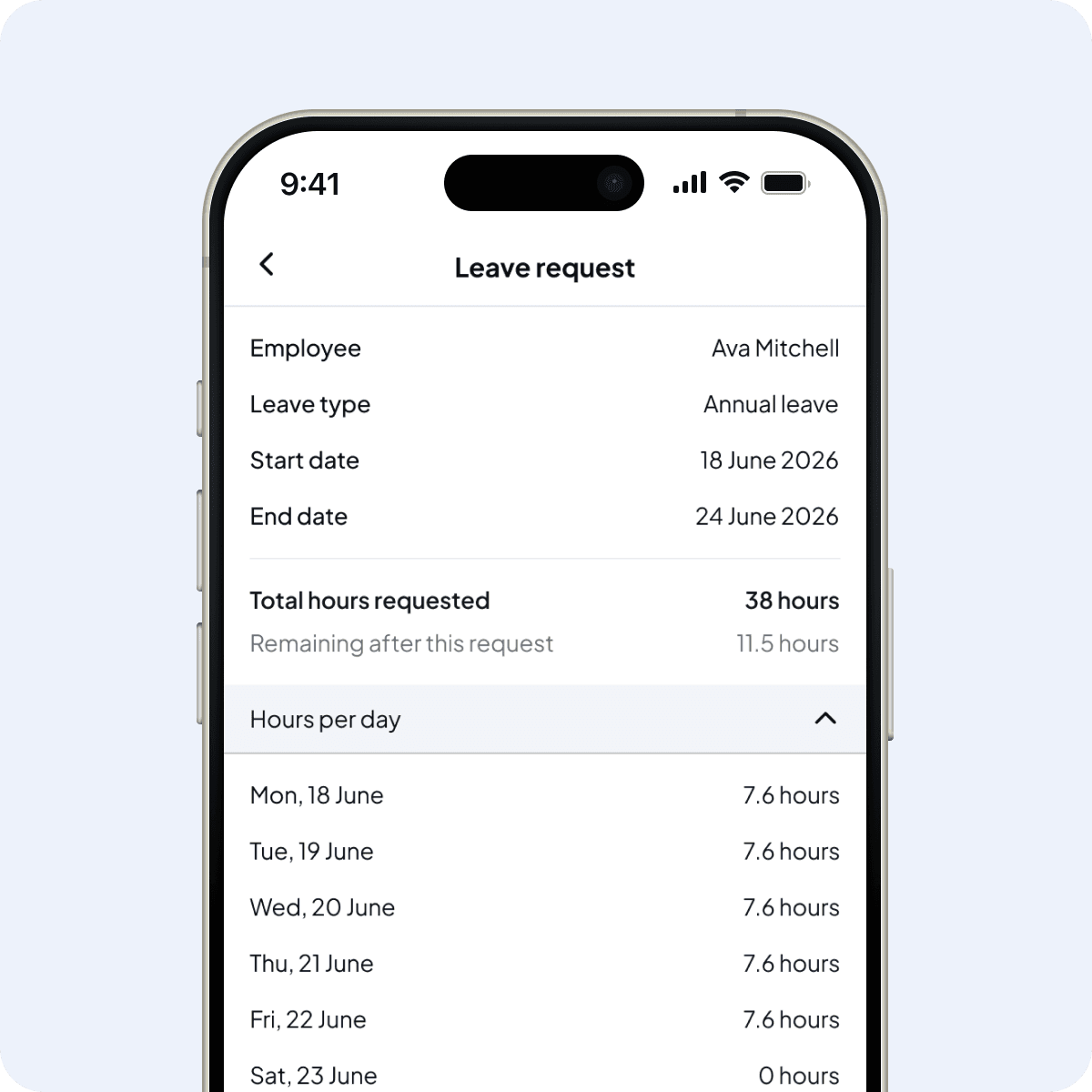
Leave requests from the mobile app
Staff pick a leave type, choose the dates, see their balance, and submit. They can see the status of every request (pending, approved or declined) without chasing managers for an answer or guessing how many days they have left.
- Every NES leave type built in: annual, personal/carer's, compassionate, parental + more
- Half-day and multi-day requests
- Balances visible before submitting
- Live status updates and push notifications
Always-current balances
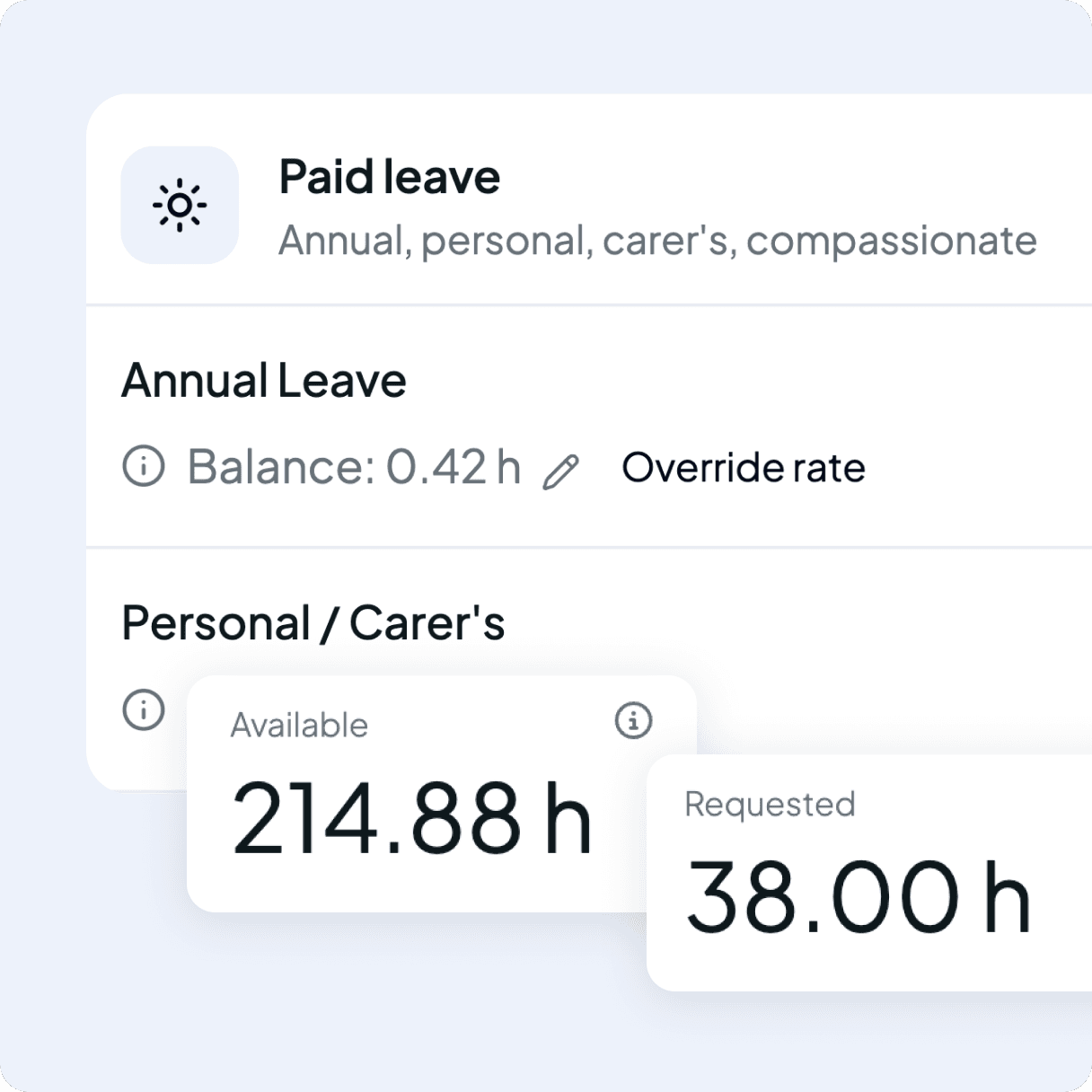
Live leave balances
When a request comes in, managers can immediately see the available balance and whether the request meets the configured requirements, all alongside the approve and decline actions. Pending requests reduce the available balance straight away, preventing multiple requests from being approved against the same balance. Requests that exceed the available balance can either be blocked automatically or allowed with a warning depending on your preferences.
No double-booking
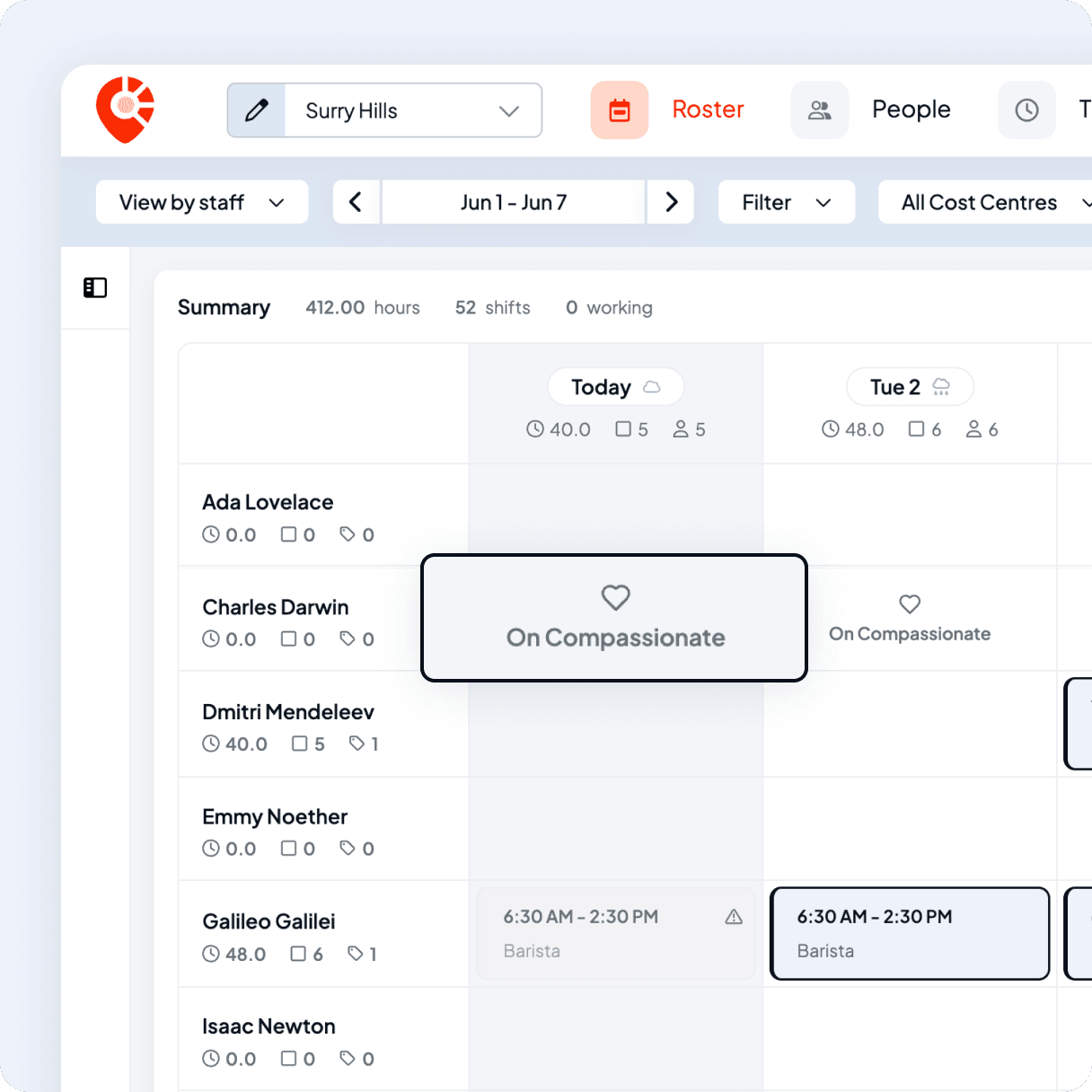
Visible from the roster
Approved leave appears directly on the roster, so you don't accidentally schedule someone who's already off. Drag-and-drop scheduling flags the conflict before you publish, and unavailable days are clearly marked across the week.
- Conflict warnings when assigning shifts
- Approved leave marked as unavailable
- Plan the week without cross-checking a leave list
Paid leave, calculated correctly
Award-aligned leave on every payrun
Approved paid leave is costed automatically at the right rate i.e. annual leave at base, personal leave at base, leave loading where it applies and exports straight into your pay run. No manual entry, no missed hours, no untangling balances at the end of the pay period.
- Leave loading applied automatically
- Base hours sourced from the employment record
- Itemised on the pay run as its own leave line item

Mid-year starters
Pro-rata to the day, not rounded off. New staff get exactly what they're owed from day one.

Rate changes
Old leave stays at the old rate, new leave at the new effective date. No retroactive surprises.

Admin overrides
Push a balance negative when you really need to, with a confirmation and a note on the record.
Protect your busy periods
Blackout dates, not blanket bans
Block leave across the weeks you can't afford to be short-staffed, like a long weekend, a festival or Christmas. Managers still see every request and can approve an exception when it's the right call, and Fair Work–protected leave is never blocked.
- Hard block, soft warning, or info-only per period
- Applied only to the leave types you choose
- Fair Work–protected leave always gets through
- A reason recorded on every block

Sensible defaults, with guardrails when you need them
Set custom rules
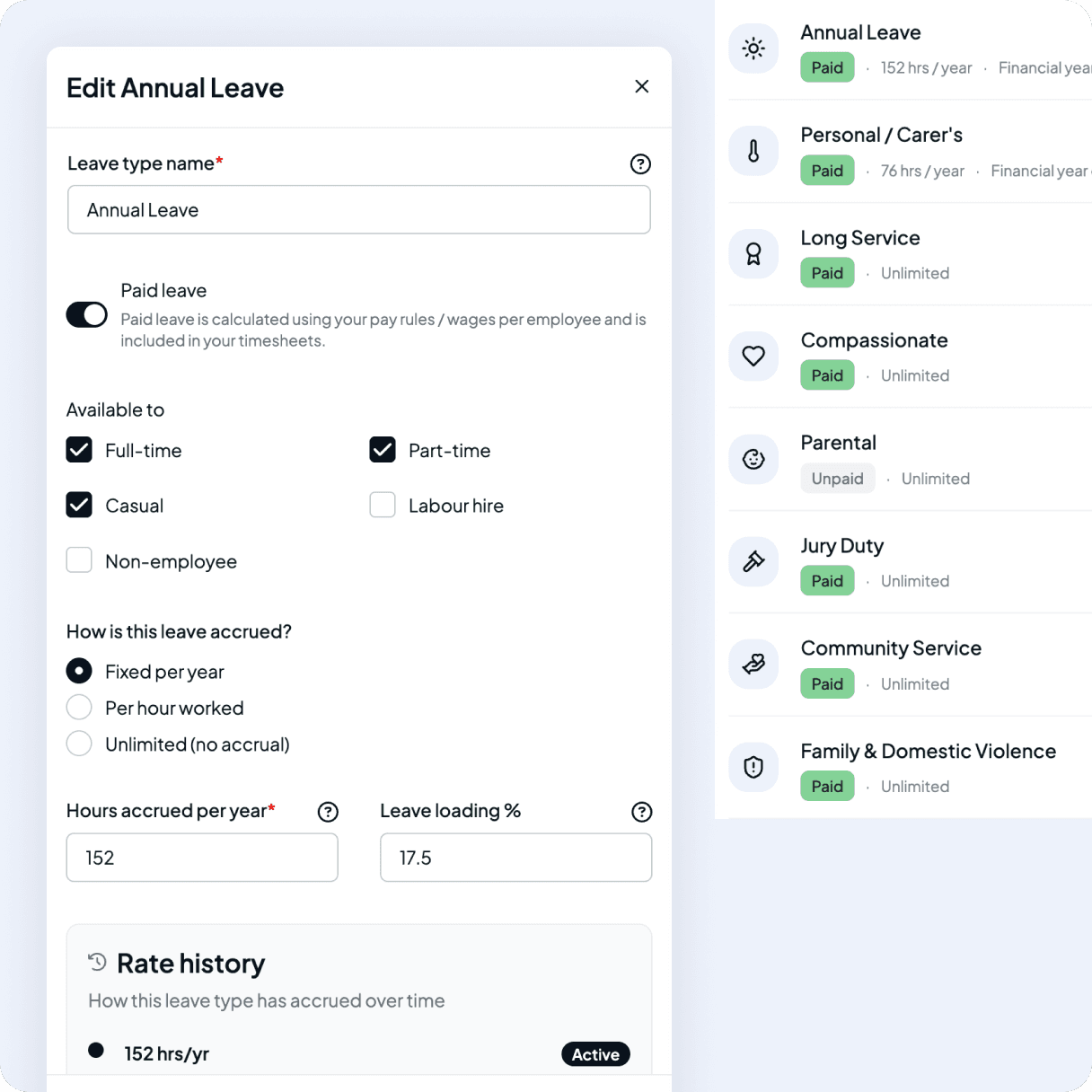
Choose how leave accrues: annually or based on hours worked, and define when balances reset each year. If annual or personal leave is configured below the National Employment Standards minimum, we'll flag it before changes can be saved.
- Yearly or per hour accruals
- Anchored leave years i.e. calendar, financial year, work anniversary, or any date
- NES floor warning on annual and personal leave
- Custom carry-over: unlimited, capped, or use-it-or-lose-it
 Connect with Us
Join us and take leave off your to-do list
Create your account in minutes, connect to Xero, and start handling leave requests through the app right away.
 Features
Explore more of Shiftly
Employee rostering
Easily plan shifts, publish rosters, sync timesheets and export in seconds, with no spreadsheets and no stress. Stay in control and keep payroll running smoothly with Shiftly.
Read More
Award interpretation
Our smart, automated system calculates wages, penalties, allowances, and overtime using configured award rules to support your payroll processes.
Read More
Compliant timesheets
We calculate pay accurately based on award rates, capture approved hours, and sync directly with Xero, so you can run payroll with confidence.
Read MoreLet us show you around
We'll walk you through how Shiftly works and help you see if we're the right fit for you.

Questions, answered
Staff request leave from the Shiftly Me app in a few taps. Managers approve or decline, and approved leave flows straight onto the roster and into pay, with no paper forms.